

Activating, updating or revoking access to the EPP API
The access to the EPP API is managed via the AutoDNS user inferface. In the section User Settings → User Profile you will find the tab API Settings.
Activating
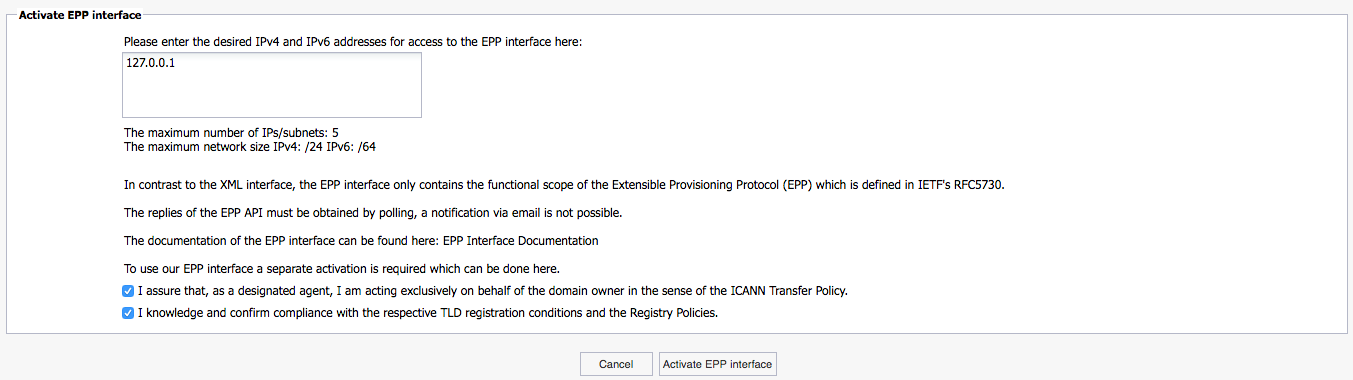
In the AutoDNS user interface navigate to User Configuration → User Profile. Choose the tab API Settings and click on Activate EPP API.

In the next window, you can set the desired IP restrictions and agree to the policies. By clicking on Activate EPP Interface, you complete the process.
In the last step, you receive the user credentials for the EPP API.

Gateway Address
Live : epp.domain-robot.org:700
Demo : epp-demo.domain-robot.org:700
Updating
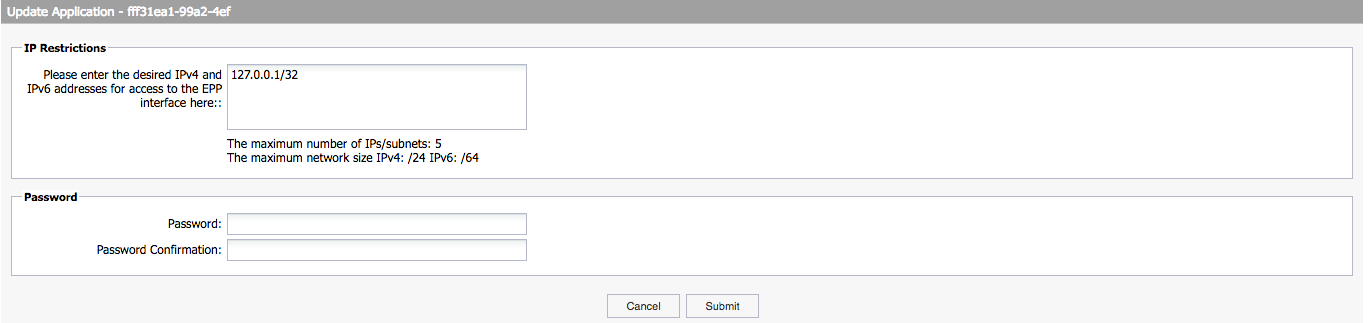
The IP restrictions and the user credentials can be updated under User Configuration → User Profile → Trusted Applications. Select the appropriated application (EPP) and click on Update. You can now update the data in the window.
Revoking EPP API access
In section User Configuration → Trusted Applications, the appropriated access can be revoked. Select the appropriate application (EPP) then delete it by clicking on Revoke.
