

Updating nameserver IP addresses (renumbering)
Background and deadlines
As part of the modernization of our DNS infrastructure, the IP addresses of your virtual nameservers will change.
This QuickGuide explains what adjustments are required and how to make them in AutoDNS.
Important deadlines
All changes can be made effective immediately.
DNS queries will be answered in parallel via both the old and new infrastructures until the old DNS infrastructure is completely shut down in April 2027 (dual provisioning).
- November 30, 2026
Shutdown of dual provisioning for the old DNS infrastructure.
New zones and changes to existing zones will be processed exclusively on the new infrastructure.
Existing zones will continue to function technically, but can no longer be modified without the IP update. - April 30, 2027
Complete shutdown of the old DNS infrastructure
From this point on, domains that use non-migrated virtual nameservers will no longer be accessible.
Take Action!
If the necessary adjustments are not made by November 30, 2026, existing zones on the virtual name servers can no longer be modified, and new zones can no longer be created as usual. In this case, as of April 30, 2027, all domains connected to the virtual name servers will become inactive and will no longer resolve in the DNS.
Overview: Old and new nameserver IP addresses
| Nameserver | State | IPv4 | IPv6 |
|---|---|---|---|
| Primary | ALT | 62.116.159.0/24 | 2001:4178:3:a357::/64 |
| Primary | NEU | 217.160.80.161 | 2001:8d8:fe:53:217:160:80:161 |
| Secondary 1 | ALT | 217.160.113.0/24 | 2001:8d8:580:401::/64 |
| Secondary 1 | NEU | 217.160.81.161 | 2001:8d8:fe:53:217:160:81:161 |
| Secondary 2 | ALT | 89.146.248.0/24 | 2a01:130:2000:118::/64 |
| Secondary 2 | NEU | 185.132.35.161 | 2607:f1c0:fe:53:185:132:35:161 |
| Secondary 3 | ALT | 74.208.254.0/24 | 2607:f1c0:1800:8091::/64 |
| Secondary 3 | NEU | 185.132.34.161 | 2607:f1c0:fe:53:185:132:34:161 |
Step-by-step: Changing host names to new IP addresses
Step 1: Identifying the affected hostnames
Using the zone inventory list, you can identify all currently used nameserver hostnames that are affected and then migrate them all to the new IP addresses at once.
A list of the zones and their associated hostnames will also be emailed to all affected customers.
Step 2: Updating the IP addresses of the virtual name servers
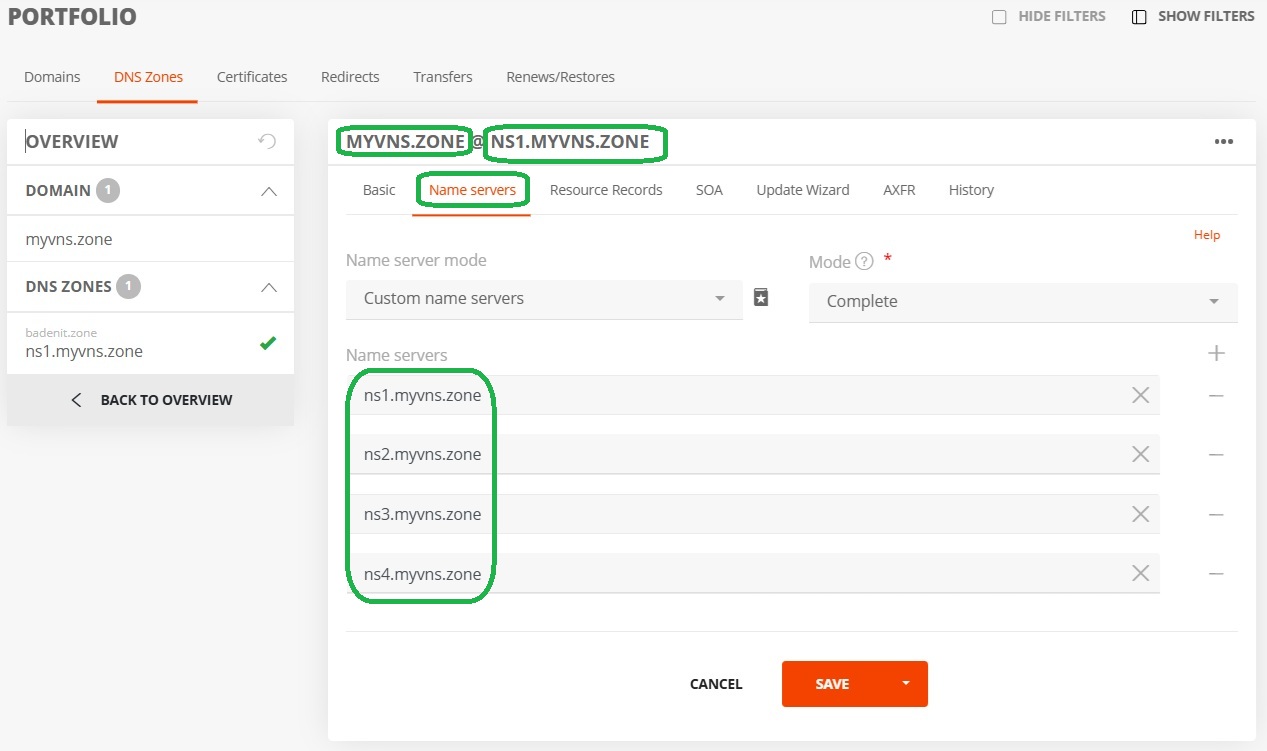
- In the PORTFOLIO, open the Nameserver tab for the DNS zones.
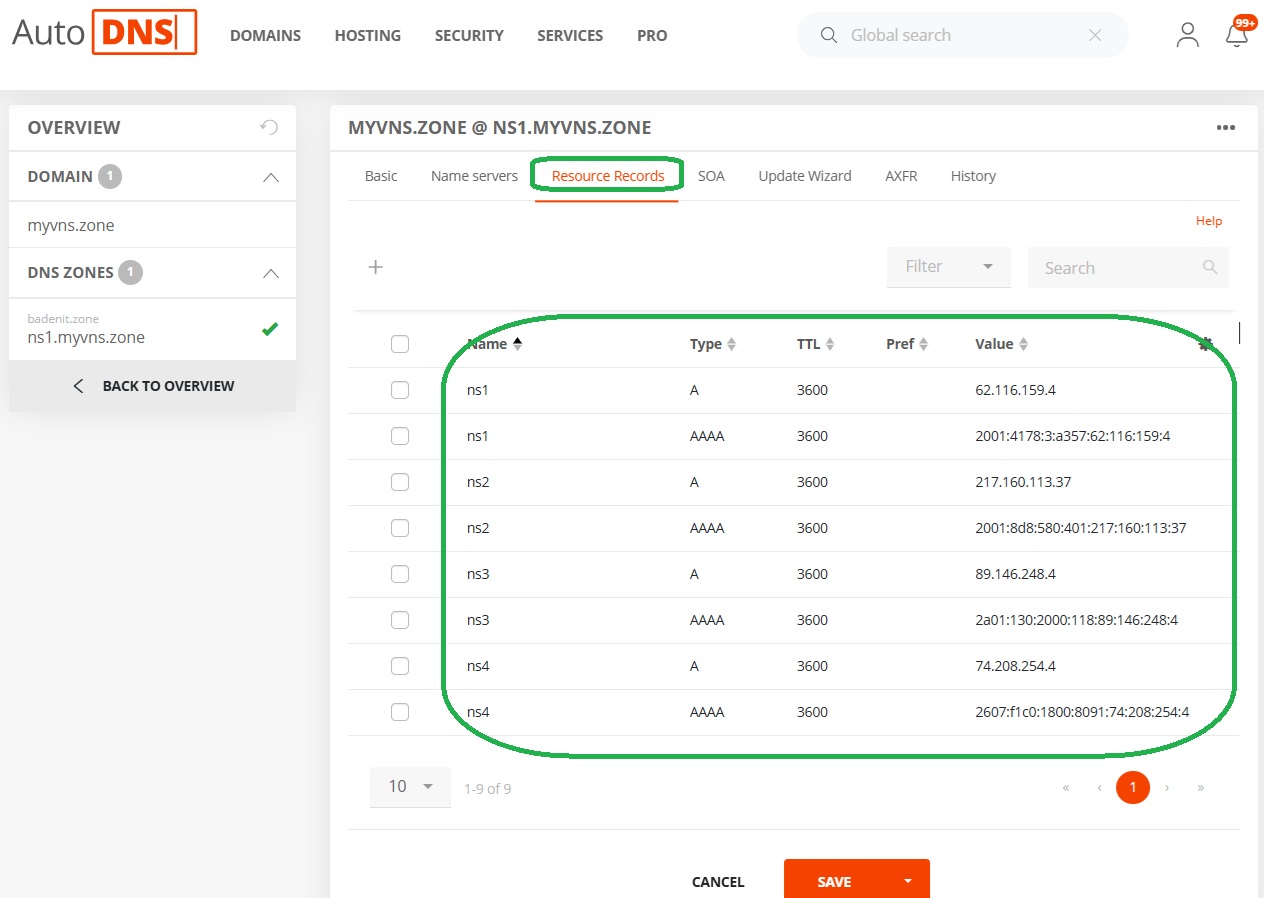
- Search for the resource records that contain one of the old IP addresses.
- Replace the old IP address with the new one (see overview above).
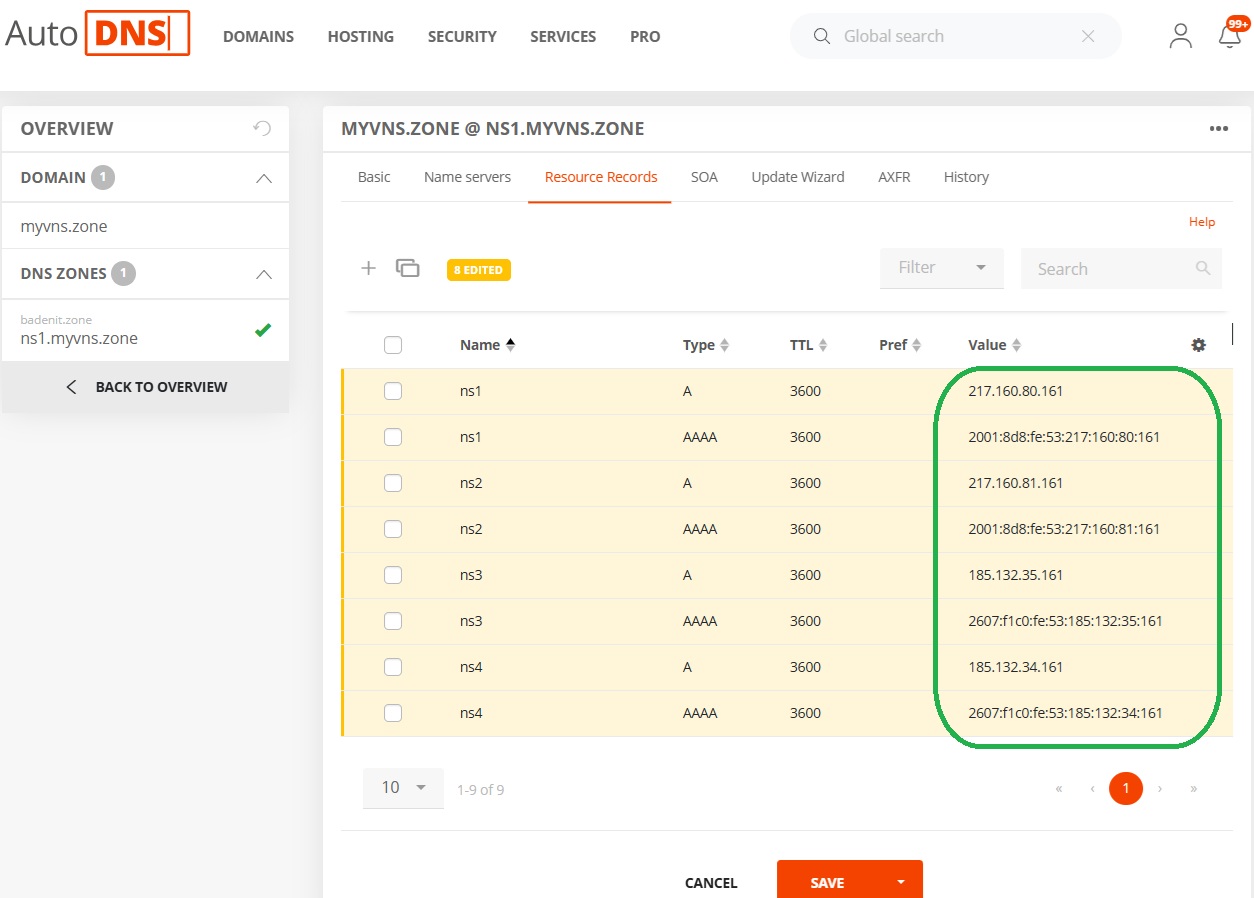
- Click Save to apply the change.
- Repeat this process for all affected zones if the virtual nameserver set is distributed across multiple domains and TLDs.
Step 3: Updating glue records (domain update)
This step is only necessary if you use your own domains as nameserver hostnames.
Without updating the glue records, name resolution for the affected domains via the nameserver would only be partially guaranteed after November 30, 2026.
Here’s how to update the domains:
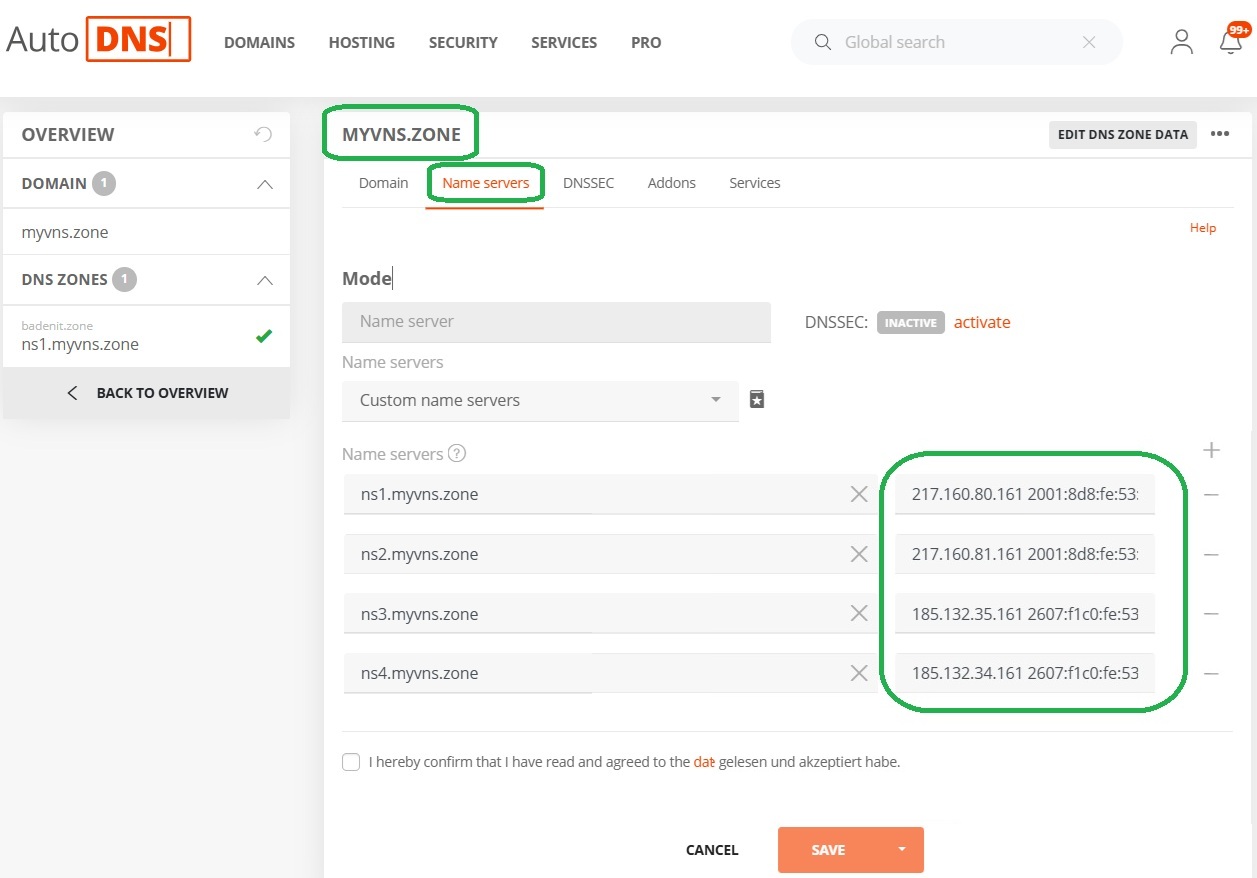
- Open the domain portfolio in AutoDNS.
- Open the domain form for the nameserver domain (e.g., yourdomain.de).
- Switch to the Name servers tab.
- Replace the old IP addresses with the new addresses from the table.
- Click Save to apply the changes.
Notes for customers with a primary setup
Primary Setup = The customer uses our primary nameserver and their own secondary nameservers
During the transition phase, our existing primary IPs will continue to send notifications to the external secondary nameservers.
The new IP addresses for the primary nameservers must also be configured in the DNS software so that the external secondary nameservers can respond to notifications from the new infrastructure.
New primary IP for notifications: 217.160.80.161
Notes for customers with a secondary setup
Secondary Setup = The customer uses their own primary nameserver and our secondary nameservers.
The IP addresses for zone transfer and zone import do not change.
Zone transfer continues to take place via the AXFR gateway 62.116.132.5, and zone import via 62.116.129.216.
To ensure a seamless transition, the primary nameserver must be configured to send notifications (notifies) to both the previous AND the new IP addresses of our nameservers.
Support and Contact
If you have any questions about the process or need assistance with DNS configuration, our Domain Services Team is happy to help.
Email: domains@internetx.com
Was this article helpful?
Thanks for the feedback.