

- Home
- Server & Cloud
- Getting an ISAC account
Getting an ISAC account
InterNetX provides an ISAC account free of charge for each customer. In order to take over existing data (e.g. customer number analogous to AutoDNS), ISAC offers the possibility to transfer this data during the account creation.
Server customers
If you already have a server at InterNetX, access is already available.
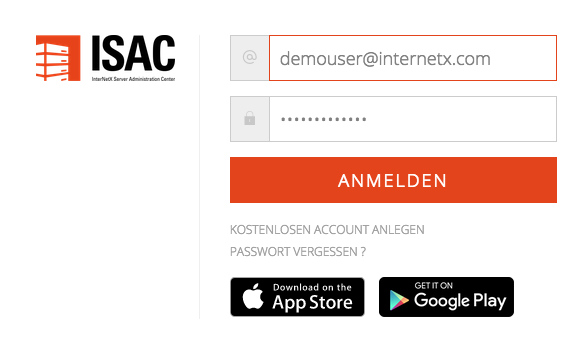
- URL: https://cloud.isac.de/
- Username: Your registered email address
FAQs server customers
I forgot my password. How do I get a new one?
Click on the Forgot your password? link at the bottom of the login window. You will receive an email with a link to set a new password. After answering the security questions, you can set a new password.
How can I add an additional user?
Please contact our server sales department at vertrieb@internetx.com.
I no longer know which email address is registered.
Please contact the server sales department at vertrieb@internetx.com.
I no longer have access to the email address I used to register.
Please contact our server sales team at vertrieb@internetx.com to change your email address.
You will be asked validation questions for which your customer number and server details will be required.
Domain customers
You already use AutoDNS?
AutoDNS - X3
In the start menu in AutoDNS X3 you will find a suitable link. Customer number and contact data are taken over immediately.
Alternatively you can activate ISAC in the AutoDNS menu item.
→ Customer Center → Optional Services → Optional Services - Server → ISAC.
You can log in directly with the access data of your main user (no subusers).
AutoDNS - The domain platform
In the main menu bar, the menu item Servers provides an overview of your own servers and a link to ISAC.

The administration of the servers takes place as usual in ISAC.
Cloud servers can be added when ordering domains. When using Plesk, the ordered domain is preconfigured.
New customers
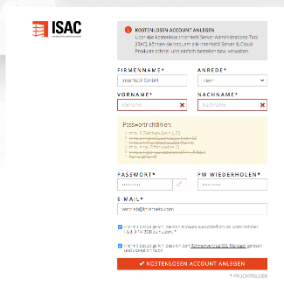
As a new customer you can create a free account at https://cloud.isac.de/. This gives you a non-binding impression of how servers can be ordered and managed.
Detailed information such as address and account details are then entered for the first order. Company name and name must be correct, as these are used as plausibility checks. If fraud is suspected, the account will be blocked.
Was this article helpful?
Thanks for the feedback.